

Every freelancer knows the feeling. A great lead asks for a proposal, and your evening vanishes into a blank document — the exact void AI proposal generators for freelancers fill. You rewrite the same “About me” paragraph for the tenth time, guess at pricing, and send it off wondering if it will ever be opened.
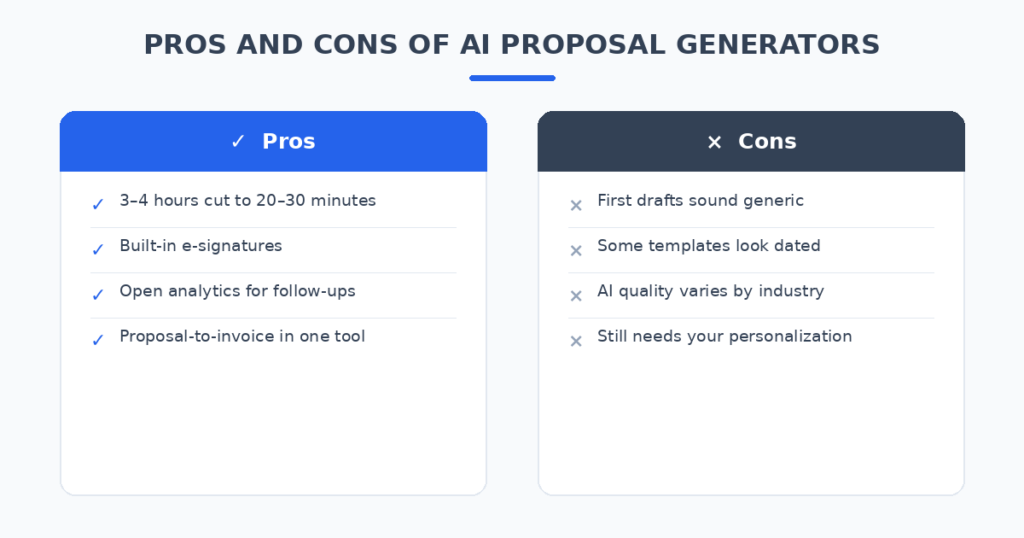
I tracked my own time last year and found I was spending three to four hours on a typical proposal — and winning roughly one in three. That’s a full working day burned for every client I signed. So I spent the last month signing up for six AI proposal generators, feeding each the exact same fictional client brief (a branding package for a neighborhood coffee shop), and comparing what came out the other end.
Here’s what I learned: the AI doesn’t win you the client. It buys back your evening. The tools that do this well turn your rough notes into a polished, sendable proposal in 20–30 minutes. The ones that do it badly hand you generic filler you’d be embarrassed to send.
How I tested these tools
To keep things fair, I used the same brief for every tool: a $2,500 branding project for a fictional coffee shop, with notes from a pretend discovery call. I judged each tool on five things:
- Draft quality: Does the AI write like a professional, or like a brochure?
- Templates: Are there freelancer-specific templates, or generic corporate ones?
- E-signatures: Can the client sign inside the proposal?
- Analytics: Can I see when the client opens it?
- Honest pricing: What does it actually cost a solo freelancer?
The 6 tools I tested
1. Better Proposals — fastest from bullet points to “send”
Better Proposals has been around longer than most tools on this list, and it shows in the workflow. You pick a template, paste in bullet points about the project, and its AI expands them into full sections — scope, timeline, deliverables, terms.
In my test, I pasted six bullet points from my fake discovery call. Three minutes later I had a complete five-page proposal. The writing was solid: plain, confident, no purple prose. I still rewrote the opening paragraph (you always should), but the scope section needed almost no edits.
Where it falls short: the design templates are clean but not exciting, and invoicing is limited — you’ll still need a separate invoicing tool.
Pricing: Plans start at around $19/user/month.
| Pros | Cons |
|---|---|
| Very fast: bullets to full proposal in minutes | Templates look a bit dated |
| Good open/click analytics for follow-ups | Limited invoicing features |
| Built-in e-signatures | AI is “quick-write”, not deep customization |
Best for: Freelancers who send 3+ proposals a month and value speed.
2. Bonsai — the all-in-one freelancers actually stick with
Bonsai isn’t just a proposal tool — it handles proposals, contracts, time tracking, and invoicing in one place. Its AI generates proposals from your project details using service-industry templates, and because it already knows your rates and client info, the drafts come out surprisingly personalized.
In my test, Bonsai’s draft was the most “ready to send” of the bunch. It pulled in my (test) business details automatically, suggested a payment schedule, and attached a contract with one click. For a freelancer, that proposal-to-contract-to-invoice chain is the real selling point: no copy-pasting between tools.
The trade-off is flexibility. If you want highly custom, design-led proposals, Bonsai’s templates feel structured and a bit plain.
Pricing: Free tier for basics; paid plans from around $17–29/month.
| Pros | Cons |
|---|---|
| Proposals + contracts + invoicing in one tool | Templates less design-forward |
| Drafts personalized from your business data | Can feel rigid for creative pitches |
| Good for the full client workflow | AI quality varies by industry template |
Best for: Solo freelancers who want one tool for the business side.
Once a proposal is accepted, you need to bill for it — I compared dedicated tools in my roundup of AI invoice generators for freelancers.
3. PandaDoc — best when proposals get complex
PandaDoc is the heavyweight here. Its AI suggests content based on your document history, auto-fills client details, and builds pricing tables from your service catalog. For multi-page proposals with complex pricing, it’s the most capable tool I tested.
For a typical freelancer, though, it’s more than most people need. The interface assumes a sales team, not a solo operator. That said, the free e-signature tier is genuinely useful, and if your proposals regularly run past ten pages, nothing else on this list keeps up.
Pricing: Free for e-signatures; paid proposal plans from around $19–35/user/month depending on tier.
| Pros | Cons |
|---|---|
| Powerful pricing tables and content library | Overkill for simple service proposals |
| AI learns from your past documents | Interface built for teams, not solos |
| Free e-signature tier | Higher learning curve |
Best for: Freelancers with complex, multi-option proposals.
4. Nusii — simple proposals for growing freelancers
Nusii keeps things deliberately simple: pick a template, answer a few prompts, get a clean proposal. Its AI focuses on industry-specific phrasing suggestions rather than writing whole sections for you, which I actually liked — the output felt more like my own writing.
In my test the draft needed more manual work than Better Proposals or Bonsai, but the result sounded the most human. Notifications tell you the moment a client opens the proposal, which is gold for timing your follow-up.
Pricing: From around $29/month.
| Pros | Cons |
|---|---|
| Clean, modern templates | More manual work than AI-first rivals |
| Instant open notifications | Smaller template library |
| Writing sounds natural, not robotic | No built-in invoicing |
Best for: Freelancers who want AI assistance without AI taking over.
5. Proposally.ai — the AI-first newcomer
Proposally.ai is built around AI drafting from the ground up: you describe the project in plain language, and it generates the full proposal, then learns from your edits over time. In theory, your tenth proposal should be better than your first.
In my test, the first draft was decent — well-structured, slightly generic. The interesting part is the feedback loop: after I edited two proposals, the third draft matched my tone noticeably better. It’s a newer, smaller tool, so templates and integrations are thinner than the established players.
Pricing: From around $24/user/month.
| Pros | Cons |
|---|---|
| Learns your writing style over time | Young product, fewer templates |
| True natural-language input | Fewer third-party integrations |
| Fast personalization | No track record yet |
Best for: Early adopters who like the idea of AI that improves with use.
6. ChatGPT or Claude — the free DIY route
No proposal tool needed: paste your notes into ChatGPT or Claude with a good prompt, and you’ll get a strong draft for free. The writing quality is honestly excellent — often better than the built-in AI in paid tools.
What you don’t get: templates, e-signatures, open analytics, or pricing tables. You’re assembling the proposal yourself in Google Docs. I still use this approach for unusual projects that don’t fit any template, but for routine proposals, the dedicated tools save more time.
Pricing: Free.
| Pros | Cons |
|---|---|
| Best raw writing quality | No templates or e-signatures |
| Completely free | No open/send analytics |
| Total control over the output | Manual assembly in your own docs |
Best for: Tight budgets and non-standard projects.
AI Proposal Generators for Freelancers: Quick Comparison
| Tool | Starting price | AI strength | E-signatures | Invoicing | Best for |
|---|---|---|---|---|---|
| Better Proposals | ~$19/mo | Fast bullet-to-draft | Yes | Limited | Speed |
| Bonsai | ~$17/mo | Personalized drafts | Yes | Yes | All-in-one |
| PandaDoc | ~$19/mo | Content suggestions | Yes (free tier) | No | Complex proposals |
| Nusii | ~$29/mo | Phrasing help | Yes | No | Natural tone |
| Proposally.ai | ~$24/mo | Learns your style | Yes | No | AI-first |
| ChatGPT/Claude | Free | Excellent writing | No | No | DIY / budget |
How to get AI proposals that actually win work
The tool matters less than how you use it. Four habits made the biggest difference in my tests:
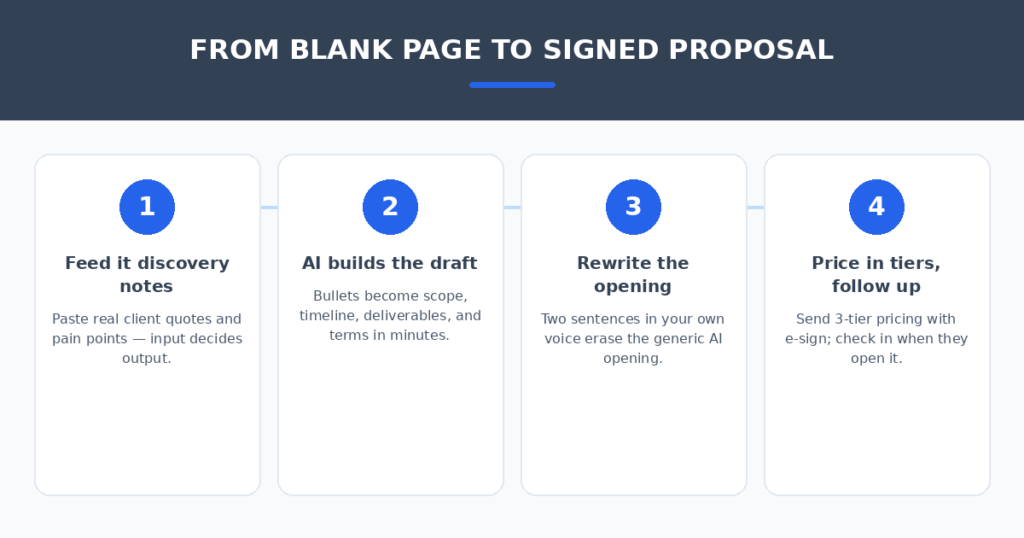
- Feed it real discovery notes. The AI is only as good as your input. Paste actual client quotes and pain points from your call, not “client needs website.”
- Always rewrite the opening. Every AI opens with the same confident-but-generic paragraph. Two sentences in your own voice fix it completely.
- Offer priced options, not a single number. A three-tier pricing table (basic / standard / premium) consistently outperforms a flat quote. Most of these tools build the table for you.
- Follow up when they open it. Open notifications are the most underused feature here. A client who just opened your proposal is thinking about you — that’s when you send the short check-in email.
A lot of proposals start as website inquiries. I tested tools that qualify those leads automatically in my guide to AI chatbots for small business websites.
FAQ
Will clients know AI helped write my proposal?
Only if you send the first draft untouched. AI drafts have tells — generic openings, symmetrical bullet points, hedged language. Spend ten minutes personalizing and nobody will ever know or care. Clients judge the proposal, not the process.
Is an AI proposal generator worth paying for?
Do the math: if a tool saves you two hours per proposal and you send four proposals a month, that’s a full workday back. At any reasonable hourly rate, a $19–29/month tool pays for itself with the first proposal.
Can these tools replace contracts?
Some can. Bonsai and PandaDoc generate contracts alongside proposals, which is fine for standard service work. For anything high-value or unusual, have a proper contract reviewed — an AI template isn’t legal advice.
How long does setup take?
About an hour for most tools: add your logo, set your default rates and terms, connect your calendar link. After that, each proposal takes 20–30 minutes instead of hours.
My verdict
If I had to pick one tool for most freelancers, it would be Bonsai — not because its AI writes the best prose, but because it closes the loop from proposal to contract to invoice, which is where freelancers actually lose time. If you already have invoicing sorted and just want the fastest drafting, Better Proposals wins on pure speed. And if you’re sending fewer than two proposals a month, save your money and use ChatGPT with a good prompt — it’s free and the writing is excellent.
The blank page is a solved problem. Pick the tool that matches how you work, feed it good notes, and spend the hours you save on the work itself.
Related reading
Sources: HubSpot