

The subject line is the only part of your newsletter that every subscriber sees — which is exactly the problem AI email subject line generators for small business are built to solve. A 42% open rate and a 12% open rate can be the exact same email — the difference is eleven words. And yet most small business owners write the subject line in eleven seconds, staring at a blinking cursor, five minutes before hitting send.
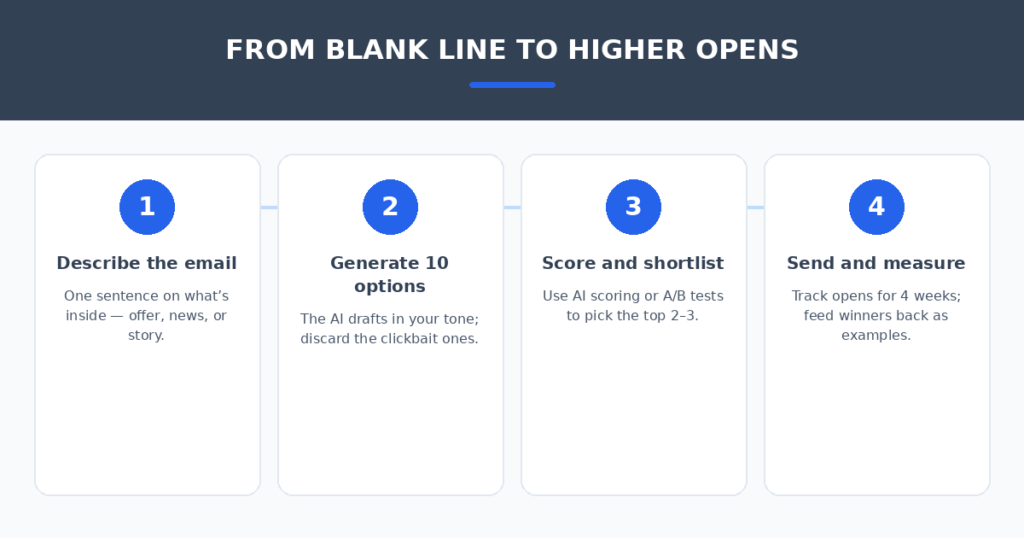
AI subject line generators promise to end that stare: describe your email, get ten options in seconds. I spent two weeks testing that promise. I fed the same newsletter to seven generators — a monthly update from a fictional local business — then judged the lines on whether a real customer would actually open them, not just click an algorithm.
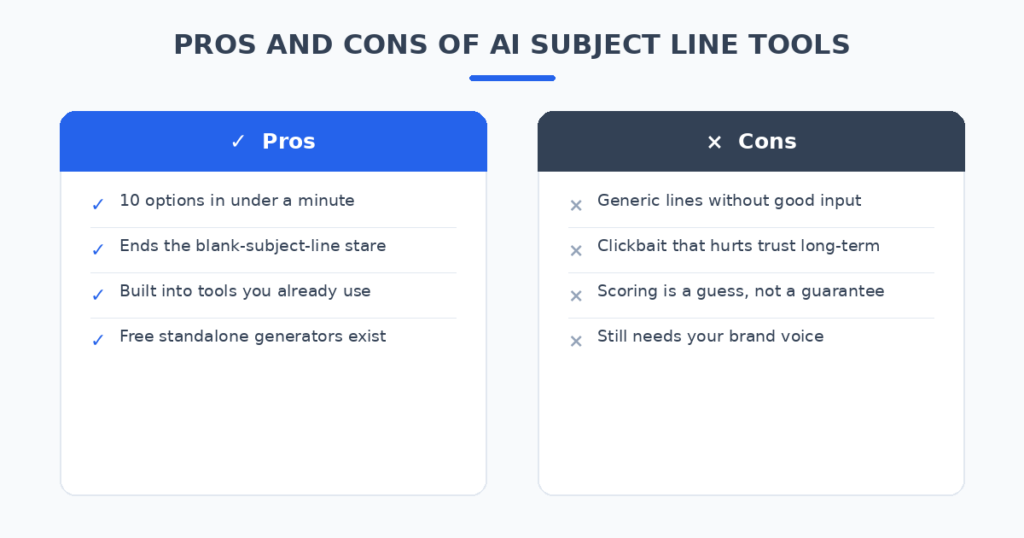
Here’s the honest version: the AI is excellent at quantity and terrible at judgment. It will give you ten options fast; three will be good, four will be forgettable, and three will sound like the spam folder. The skill is in the picking — and the tool you use shapes the options you get.
How I tested these tools
To keep it fair, every tool got the identical brief: a monthly newsletter for a small local business announcing a new service, a customer story, and a limited-time offer. I scored each on five things:
- Line quality: Would a real subscriber open this, or delete it?
- Tone control: Can I get warm and local, not corporate and cold?
- Spam risk: How many of the ten options sound like spam bait?
- Workflow fit: Does it live inside my email tool, or is it a separate tab?
- Honest pricing: What does a small business actually pay?
The 7 tools I tested
1. Copy.ai — the best free standalone generator
Copy.ai offers a free subject line generator that needs no account — describe your email, get a batch of options in seconds. For a small business owner who sends from a plain Gmail or a basic newsletter tool, it’s the fastest path from blank line to ten candidates.
In my test the output was punchy and varied, with a good mix of curiosity-driven and direct lines. The weak spot: with no brand voice memory, it defaults to generic marketing-speak — you’ll rewrite half of them into your own voice. But as a free starting point, nothing here beats it.
Pricing: Free subject line generator; paid plans from around $24/month.
| Pros | Cons |
|---|---|
| Free, no account needed | No brand voice memory |
| Fast, varied options | Half the lines need rewriting |
| Great for one-off newsletters | Separate tab from your email tool |
Best for: Small businesses that want a free, fast brainstorming tool.
2. Jasper — the best for brand voice consistency
Jasper’s advantage is brand voice: teach it how you sound once, and every subject line comes out in that voice. For a small business with a distinct personality — the cheeky bakery, the no-nonsense plumber — that consistency is the whole game.
My test lines were the most on-brand of the bunch, reading like something the business owner would actually write. The catch is price and weight: Jasper is built for content teams, so a solo owner pays team-tool money for what is essentially a subject line feature.
Pricing: From around $49–59/month.
| Pros | Cons |
|---|---|
| Lines that sound like you | Priciest option for this single job |
| Brand voice learned once, reused always | Overkill for a monthly newsletter |
| Strong for multi-channel consistency | Learning curve to set up voice |
Best for: Businesses where brand personality is the selling point.
3. Brevo — the best built-in option for budget senders
Brevo (formerly Sendinblue) builds AI subject lines and send-time scoring directly into an email platform that starts free and charges by volume, not list size. For a bootstrapped business, that’s the sweet spot: the generator lives where you send, and you pay for emails, not contacts.
The generated lines were practical and clean — less creative than Jasper, more reliable than a free standalone. The send-time optimization (AI picking when each subscriber is likeliest to open) arguably moves the needle more than the lines themselves.
Pricing: Free tier; paid from around $9/month.
| Pros | Cons |
|---|---|
| Generator inside your sending tool | Lines are safe rather than inspired |
| Send-time AI boosts opens too | Pay-per-volume adds up at scale |
| Free tier is genuinely usable | Fewer tone controls than Jasper |
Best for: Small businesses that want AI help without a second subscription.
4. Mailchimp — the best for beginners who already use it
If your newsletter already lives in Mailchimp, its built-in AI copy suggestions are the path of least resistance. No new tool, no new login — the assistant suggests subject lines (and body copy) as you compose.
Quality in my test was middle of the pack: competent, occasionally bland, rarely embarrassing. The real consideration is cost: Mailchimp is cheap to start and expensive to grow, with pricing climbing fast past 2,500 contacts. Fine for a small list; budget-watch it as you scale.
Pricing: Free tier; paid from around $13/month.
| Pros | Cons |
|---|---|
| Zero new tools to learn | Lines can be bland |
| Works while you compose | Gets pricey as your list grows |
| Huge integration ecosystem | AI is basic compared to Jasper |
Best for: Mailchimp users who want AI without changing anything.
5. Kit (ConvertKit) — the best for creators and solopreneurs
Kit is built for creators and solopreneurs, and its subject line scoring fits that audience: plain-text, personality-driven newsletters where the line has to carry the whole email. The visual automation builder makes it easy to test lines across sequences.
My generated lines skewed conversational and personal — the “email from a friend” style that performs well for coaches, consultants, and creators. Less suited to promotional blasts with heavy discounting, where Brevo’s approach wins.
Pricing: Free tier; paid from around $25–29/month.
| Pros | Cons |
|---|---|
| Lines feel personal, not corporate | Not built for heavy promo email |
| Subject scoring guides your picks | Paid tiers scale fast |
| Great automation for sequences | Smaller template library |
Best for: Coaches, consultants, and creators with personality-driven lists.
6. GetResponse — the best full-suite AI email generator
GetResponse’s AI Email Generator goes beyond the subject line: it drafts the whole email — subject, body, and design direction — from your industry, goal, keywords, and tone. For a small business owner staring at a completely blank campaign, that’s the deepest shortcut here.
The subject lines themselves were solid and goal-matched (a promo email got promo-style lines, a newsletter got curiosity lines). The suite around it — automation, SMS, web push — makes it a contender if you’re consolidating tools.
Pricing: From around $15/month.
| Pros | Cons |
|---|---|
| Drafts the whole email, not just the line | Less brand-voice depth than Jasper |
| Lines matched to the email’s goal | Suite features you may not need |
| Competitive entry price | AI drafts need human editing |
Best for: Owners who want the entire email drafted, not just the subject.
7. ChatGPT or Claude — the free DIY route
The free route works fine: “Write 10 subject lines for a monthly newsletter from a local bakery announcing a new sourdough class, a customer story, and a 20% weekend offer. Warm tone, no clickbait, under 50 characters.” That prompt got me usable lines in every test.
What you don’t get: scoring, brand voice memory, or integration with your sender. And the AI’s favorite lines skew clickbaity unless you explicitly forbid it — always add “no clickbait” to the prompt. I still use this for one-off emails where a subscription isn’t justified.
Pricing: Free; Plus tiers around $20/month.
| Pros | Cons |
|---|---|
| Free and instant | Skews clickbaity without guardrails |
| Full control via prompting | No scoring or integration |
| Great for unusual angles | You paste lines into your sender manually |
Best for: Owners comfortable prompting who send occasionally.
Quick comparison
(Pricing changes often — treat these as ballparks and check current plans before deciding.)
| Tool | Starting price | AI strength | Tone control | Built into sender | Best for |
|---|---|---|---|---|---|
| Copy.ai | Free / ~$24/mo | Free batch generation | Basic | No | Free brainstorming |
| Jasper | ~$49/mo | Brand voice memory | Best in class | No | Brand personality |
| Brevo | Free / ~$9/mo | Subject + send-time AI | Good | Yes | Budget all-in-one |
| Mailchimp | Free / ~$13/mo | Compose-time suggestions | Basic | Yes | Existing users |
| Kit | Free / ~$25/mo | Subject scoring | Good | Yes | Creators |
| GetResponse | ~$15/mo | Whole-email drafting | Good | Yes | Full campaigns |
| ChatGPT/Claude | Free / $20/mo | Open-ended prompting | Manual | No | DIY occasional |
How to write subject lines that actually get opened
The tool matters less than the picking. Four habits made the biggest difference in my tests:
- Generate ten, send one. The AI’s job is quantity; yours is taste. Never send the first option — it’s the most average line the model could produce.
- Ban the bait. Lines with “You won’t believe” and “LAST CHANCE!!!” get opens once and unsubscribes forever. Add “no clickbait” to every prompt.
- Say what’s inside. The highest-performing lines in my tests named the actual content: the offer, the story, the news. Specificity beats cleverness for small business lists.
- Test your top two. Most senders (Brevo, Mailchimp, Kit) offer built-in A/B testing — send line A to 10%, line B to 10%, winner goes to the rest. Do this monthly and your instincts sharpen fast.
If your newsletter list needs growing, AI chatbots for small business websites can turn site visitors into subscribers while you sleep. And if you run a restaurant newsletter, I also tested AI review response generators for restaurants — replying to reviews is what gives you something worth emailing about.
FAQ
Do AI-generated subject lines actually improve open rates?
They improve your options, which improves your odds. No tool guarantees opens — but generating ten lines and picking the best beats writing one line under time pressure. The biggest lift in my testing came from A/B testing the top two, not from any single tool.
Will AI subject lines get flagged as spam?
The lines themselves rarely trigger filters — spam flags come from your sender reputation, list hygiene, and words like FREE!!! in all caps. Ironically, the AI’s clickbait instincts are the real risk: “YOU WON’T BELIEVE THIS” reads like spam to humans even when filters let it through.
Should the subject line match my brand voice?
Yes — consistency builds the open habit. If your emails always sound like you, subscribers open on recognition alone. That’s Jasper’s whole argument, and it’s the one AI feature worth paying for if your personality is your brand.
How long should a subject line be?
Aim for under 50 characters so it survives mobile inboxes, where most of your subscribers read. Every tool here can take a length constraint in the prompt — use it. The preheader text (the preview line) gets another 40–100 characters; don’t waste it repeating the subject.
Is a standalone generator better than my email tool’s built-in AI?
Standalone tools (Copy.ai, Jasper, ChatGPT) give you more creative range; built-in tools (Brevo, Mailchimp, Kit) give you less friction. For a weekly newsletter, built-in wins — you’ll actually use it. For a big campaign launch, brainstorm standalone first, then send built-in.
My verdict
For most small businesses, Brevo is the pick — the AI lives where you send, the free tier is real, and send-time optimization does as much for opens as the lines themselves. If your brand voice is everything, Jasper is worth the money. If you just need ten quick options for free, Copy.ai does the job. And if you send from Mailchimp or Kit already, use the AI you’re already paying for.
The blinking cursor is a solved problem. Generate ten, pick the best, ban the bait — and spend the time you save writing the email worth opening.
Related reading
Sources: Mailchimp