

The average teacher spends 10 or more hours a week on lesson planning — hours AI lesson plan generators promise to hand back. That’s a second unpaid job hiding inside the first one — evenings and Sundays eaten by objectives, activities, and worksheets.
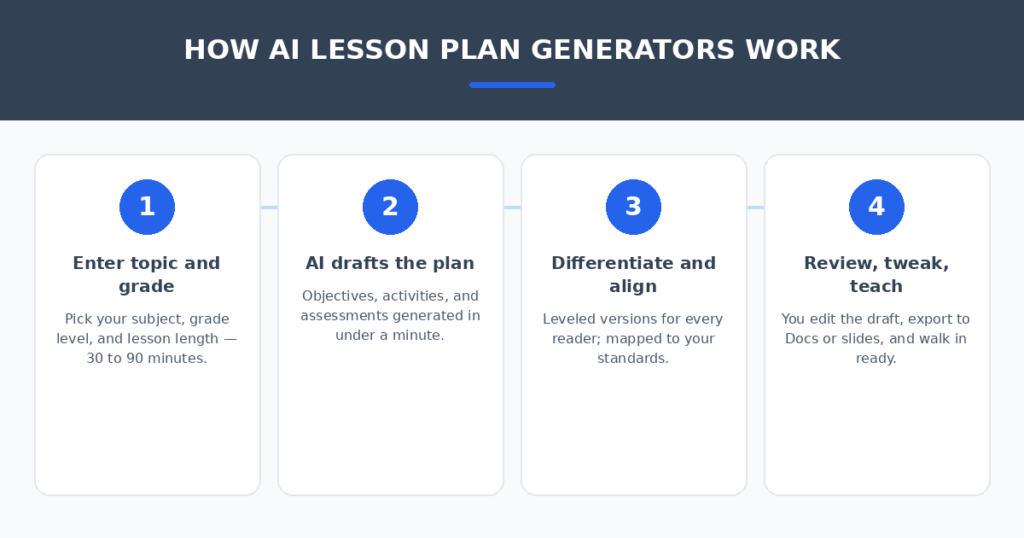
AI lesson plan generators promise to hand those hours back: type in your topic and grade level, get a complete lesson in under a minute. I spent two weeks putting that promise to the test. I generated the same lesson in all seven tools — a 45-minute 8th-grade science lesson on photosynthesis — then judged each one on whether a real teacher could actually walk into class with the result.
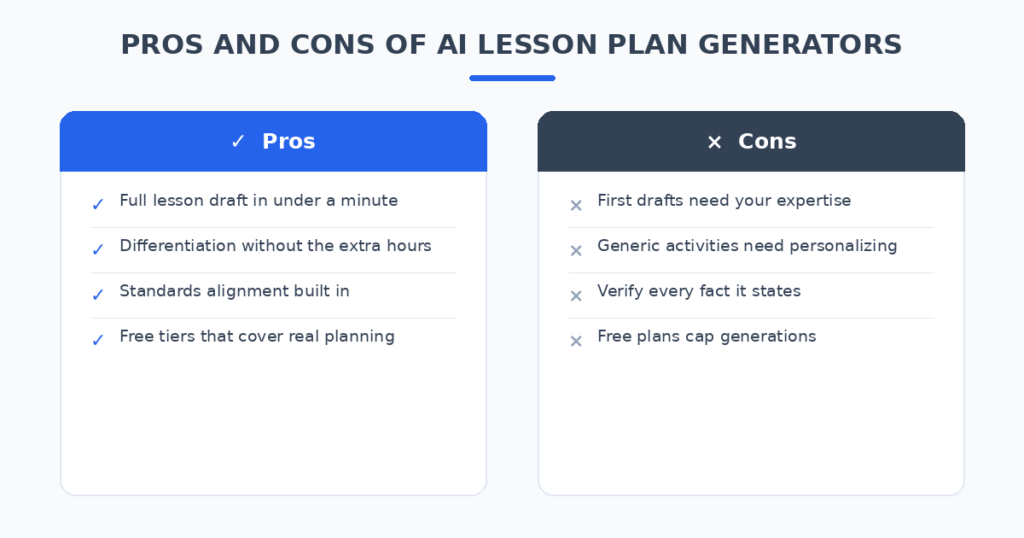
Here’s the honest version: the AI doesn’t replace your expertise. It replaces the blank page. The best tools give you a solid first draft in 60 seconds; the worst give you generic filler that takes longer to fix than writing from scratch.
How I tested these tools
To keep it fair, every tool got the identical brief: 45-minute lesson, 8th grade, photosynthesis, mixed-ability class. I scored each on five things:
- Draft quality: Is the plan teachable as-is, or does it need a rewrite?
- Standards alignment: Does it map objectives to real curriculum standards?
- Differentiation: Can it produce leveled versions for different readers?
- Export and sharing: Can I get it into Google Docs, slides, or PDF without friction?
- Honest pricing: What does a teacher actually pay — is the free tier usable?
The 7 tools I tested
1. MagicSchool AI — the best all-rounder for teachers
MagicSchool is the name that comes up in every staff room conversation about AI, and the toolkit justifies the hype: 80+ purpose-built teacher tools covering lesson plans, rubrics, IEP accommodations, parent emails, and quizzes. It’s designed for educators first, not adapted from a general chatbot.
In my test, the lesson plan generator produced the most classroom-ready draft — clear objectives, a sensible 45-minute flow, and an exit ticket I didn’t have to rewrite. The free tier is genuinely generous, and the platform is FERPA and COPPA compliant, which matters the moment student data is anywhere near the picture.
Pricing: Free tier for educators; Plus from around $8.33/month billed annually ($12.99 month-to-month).
| Pros | Cons |
|---|---|
| Huge toolkit beyond lesson plans | Sheer number of tools takes learning |
| Generous free tier for teachers | Output quality varies between tools |
| FERPA/COPPA compliant | Plus needed for unlimited generations |
Best for: Teachers who want one AI assistant for planning, not just one generator.
2. Eduaide.AI — the most structured lesson plans
Eduaide focuses on doing one job well: turning your topic into a properly structured lesson plan with objectives, materials, procedures, and assessments. Where MagicSchool gives you eighty tools, Eduaide gives you a clean, focused planning workflow.
My photosynthesis lesson came out well-organized and easy to follow — the procedure section was broken into timed segments, which most generators skip. It also offers a library of teaching resources (think discussion prompts, activities) that pair naturally with the plans.
Pricing: Free tier available; paid plans affordable (around $6/month for individuals).
| Pros | Cons |
|---|---|
| Clean, classroom-ready structure | Smaller toolkit than MagicSchool |
| Timed lesson segments built in | Resource library still growing |
| Very affordable paid tier | Free tier has generation limits |
Best for: Teachers who want polished plans without wading through dozens of tools.
3. Brisk Teaching — best for working inside Google Docs
Brisk lives where teachers already work: it’s a Chrome extension inside Google Docs, Slides, and Classroom. No new platform to learn, no exporting — you generate and edit the lesson right in the document you’ll actually use.
In my test, Brisk turned a rough outline in a Google Doc into a formatted lesson plan in seconds, and its feedback tools (for grading later) live in the same extension. The lesson draft itself was solid but slightly less detailed than MagicSchool’s — the win here is workflow, not depth.
Pricing: Free tier for teachers (with usage limits); paid plans for schools.
| Pros | Cons |
|---|---|
| Works inside Google Docs you already use | Plans slightly less detailed |
| Free for teachers | Chrome/Google ecosystem required |
| Grading feedback in the same tool | Usage caps on the free tier |
Best for: Google Workspace schools that want zero new logins.
4. Diffit — the best for differentiation
Diffit solves the hardest part of planning: one topic, multiple reading levels. Give it any text or topic and it generates leveled passages, vocabulary lists, and comprehension questions — the differentiation work that normally eats an entire prep period.
My test confirmed the reputation: the leveled versions of the photosynthesis content were genuinely distinct, not just the same paragraph with simpler words swapped in. If your class has a wide ability range, this is the tool that saves the most real time.
Pricing: Free tier covers the basics; Premium plans add more.
| Pros | Cons |
|---|---|
| Best-in-class leveled materials | Focused on reading, not full plans |
| Huge time saver for mixed-ability classes | Works best paired with a planner |
| Usable free tier | Premium needed for heavy use |
Best for: Teachers with mixed-ability classes who dread differentiation.
5. Curipod — the best for interactive live lessons
Curipod turns your lesson into an interactive live experience: AI-generated slides with embedded polls, word clouds, and open-ended prompts that students join from their devices. It’s lesson planning plus live engagement in one.
The generated slide deck for my topic was genuinely classroom-ready, and the interactive elements are the kind of thing students actually respond to. The tradeoff: it’s built around live delivery, so it’s less useful if you just need a written plan to file.
Pricing: Free tier (limited); paid plans for full features.
| Pros | Cons |
|---|---|
| Interactive polls and activities built in | Built for live delivery, not filing |
| Students join from their devices | Free tier is limited |
| Engaging slide output | Less useful for traditional plan formats |
Best for: Teachers who want lessons students participate in, not just listen to.
6. Khanmigo — the best free standards-aligned option
Khanmigo, from Khan Academy, is free for teachers and built around sound pedagogy rather than speed. Its lesson planning tools emphasize standards alignment and Socratic-style thinking — less “generate everything instantly,” more “plan it properly.”
In my test the output was thoughtful and well-aligned, though generating took a more guided, step-by-step path than the one-click tools. For a free tool with Khan Academy’s curriculum backbone, the quality-to-price ratio is unbeatable.
Pricing: Free for teachers.
| Pros | Cons |
|---|---|
| Completely free for teachers | Slower, more guided workflow |
| Strong pedagogy and standards focus | Fewer one-click generators |
| Trusted Khan Academy content | Less flexible for creative formats |
Best for: Teachers who want quality planning at zero cost.
7. ChatGPT or Claude — the free DIY route
No specialized tool needed: a good prompt in ChatGPT or Claude produces a strong lesson draft for free. “Create a 45-minute 8th-grade lesson plan on photosynthesis with objectives, a warm-up, guided practice, and an exit ticket” gets you 80% of the way there.
What you don’t get: standards auto-mapping, one-click differentiation, or export to your LMS. And the caution from every educator guide applies — verify every fact it states, especially in science and history. I still use this route for unusual topics no template covers.
Pricing: Free; Plus tiers around $20/month.
| Pros | Cons |
|---|---|
| Completely flexible, any topic | No standards auto-mapping |
| Free and instant | You must verify all facts |
| Great for unusual topics | Manual formatting and differentiation |
Best for: Teachers comfortable prompting who want full control.
AI Lesson Plan Generators for Teachers: Quick Comparison
(Pricing changes often — treat these as ballparks and check current plans before deciding.)
| Tool | Starting price | AI strength | Differentiation | Standards alignment | Best for |
|---|---|---|---|---|---|
| MagicSchool AI | Free / ~$8.33/mo | 80+ teacher tools | Yes | Yes | All-rounder |
| Eduaide.AI | Free / ~$6/mo | Structured plans | Yes | Yes | Polished plans |
| Brisk Teaching | Free | In-Docs generation | Basic | Basic | Google schools |
| Diffit | Free | Leveled reading | Best in class | Yes | Mixed abilities |
| Curipod | Free (limited) | Interactive slides | Basic | Basic | Live lessons |
| Khanmigo | Free | Guided planning | Yes | Strong | Free quality |
| ChatGPT/Claude | Free / $20/mo | Open-ended drafting | Manual | Manual | DIY control |
How to get lesson plans that actually work in your classroom
The tool matters less than how you use it. Four habits made the biggest difference in my tests:
- Be specific in your prompt. “45-minute 8th-grade lesson on photosynthesis, mixed-ability class, include an exit ticket” beats “lesson on photosynthesis” every time. Specific input is the whole game.
- Always review before you teach. AI drafts have tells — generic activities, mismatched timing, confident-but-wrong facts. Ten minutes of expert review is non-negotiable.
- Generate differentiation separately. Even good planners produce one-level-fits-all by default. Ask for the leveled version explicitly, or pair your planner with a tool like Diffit.
- Keep student data out of public tools. Use FERPA-compliant platforms for anything touching real student information, and never paste student names into a general chatbot.
If you tutor privately on the side, the admin matters too — I compared AI invoice generators for freelancers that turn a sentence into a billable invoice. And if you run a tutoring website, AI chatbots for small business websites can answer parent questions at 11pm while you sleep.
FAQ
Is it ethical to use AI for lesson planning?
Yes — with the same standard you’d apply to any teaching resource. You remain the teacher: you review, adapt, and take responsibility for what happens in your classroom. AI drafts the plan; your expertise makes it a lesson.
Are these tools safe for student data?
Reputable education platforms like MagicSchool AI comply with FERPA and COPPA and don’t sell student data. The rule is simple: use school-approved or education-specific platforms for anything involving real students, and never enter student names into public AI models.
Will AI lesson plans work for my subject?
Core subjects (math, science, English, history) get the best results — the most training data and the best templates. Specialist subjects (music, PE, art) work too, but expect to do more adapting. The DIY route with ChatGPT or Claude is often best for unusual topics.
Is the free tier actually enough?
For most teachers, yes to start. MagicSchool, Brisk, Diffit, and Khanmigo all have free tiers that cover real weekly planning. You’ll hit generation caps if you plan every lesson with AI — that’s when the $6–13/month paid tiers make sense.
Can AI handle differentiation for IEPs and 504s?
It can draft accommodations and leveled materials, and MagicSchool even has dedicated IEP tools. But IEPs are legal documents about real students — always review with your special education team, and keep this work inside FERPA-compliant platforms.
My verdict
For most teachers, MagicSchool AI is the pick — the toolkit covers planning and everything around it, the free tier is generous, and it’s built for education with proper privacy compliance. If you want the cleanest standalone lesson plans, Eduaide.AI is excellent. If your school runs on Google, Brisk Teaching removes all friction. And if your classes span wide ability ranges, pair any planner with Diffit.
The Sunday-night planning marathon is a solved problem. Pick the tool that matches how you teach, feed it specific prompts, review like the expert you are — and spend the hours you save on the students, not the paperwork.
Related reading
Sources: Edutopia