

Hiring a freelancer costs $500+ per article. A premium AI writing subscription runs $20–50/month. But here’s what the pricing pages don’t advertise: the best free AI writing tools for small business can cover a surprising amount of real small-business writing — if you pick the right ones.
I spent two weeks testing seven free AI writing tools on the writing a small business actually does: customer emails, social media captions, product descriptions, and blog drafts. I wasn’t looking for tools that merely have a free plan — I was looking for free tiers you can genuinely use month after month without hitting a paywall on day three.
Two of them earned a permanent spot in my own workflow. Three are worth trying for specific jobs. Two have free tiers that are really just bait — I’ll name them so you don’t waste your time.
How I tested the free tiers
Every tool got the same three jobs: a customer email (polite reply to a late-delivery complaint), a social media caption (promoting a weekend sale), and a product description (handmade candle, 100 words). I judged each on four things:
- Output quality: Usable with light editing, or needs a rewrite?
- Free tier honesty: Can you actually use it monthly, or is it a disguised trial?
- Ease of use: Could a non-technical business owner get results in 10 minutes?
- Upgrade pressure: How aggressively does it push you toward a paid plan?
The 7 tools I tested
1. ChatGPT (free tier) — the best free all-rounder
ChatGPT’s free tier is the Swiss Army knife of free business writing: emails, captions, product descriptions, brainstorming, even rough blog outlines — all from one chat box, no templates to learn. It handled all three of my test jobs competently, and the conversational format means you can iterate (“make it friendlier,” “shorter”) without starting over.
The catch is the usage limit: free users get a limited number of messages on the stronger models before being throttled, and heavy days will hit the ceiling. For a small business doing a few writing tasks a day, that’s fine. If you’re drafting all afternoon, you’ll feel it.
Pricing: Free tier with usage limits; Plus at $20/month for higher limits and priority access.
| Pros | Cons |
|---|---|
| Handles any writing task | Daily message limits on free tier |
| Easy iteration by conversation | No built-in templates or brand voice |
| No credit card to start | Best models throttled for free users |
Best for: Business owners who want one free tool for everything and don’t mind chatting to get there.
2. Claude (free plan) — the best free writing quality
Of every tool I tested, Claude produced the most natural-sounding writing — warm without being syrupy, structured without sounding templated. The complaint email came out genuinely empathetic; the product description read like a person wrote it. If writing quality is your top criterion, Claude’s free plan is the strongest option on this list.
The free plan limits you to a small number of messages per day, so this is a tool for a few careful drafts, not bulk output. It also lacks the marketing templates of specialized tools — you’re writing in a chat window, full stop.
Pricing: Free plan with daily message limits; Pro at $20/month.
| Pros | Cons |
|---|---|
| Most natural writing of any free tool | Strict daily message limits |
| Excellent at tone and nuance | No marketing templates |
| Great for emails and long-form | Not built for bulk output |
Best for: Businesses where tone matters — customer emails, about pages, thoughtful blog posts.
3. Google Gemini — best free option for Google users
If your business already lives in Gmail and Google Docs, Gemini is the path of least resistance: it drafts inside the apps you already open every morning. The free tier is generous for everyday writing, and its integration with Google’s ecosystem means you can go from draft to sent email without switching tabs.
On raw writing quality it sits a notch below Claude in my tests — competent, occasionally generic, but perfectly fine for routine business writing. The real win is zero new logins and zero new tabs for Google Workspace users.
Pricing: Free tier for everyday use; Advanced features via Google AI plans.
| Pros | Cons |
|---|---|
| Built into Gmail and Google Docs | Writing quality a notch below Claude |
| Generous free tier | Best features need a Google AI plan |
| Zero new tools to learn | Less useful outside Google’s ecosystem |
Best for: Google Workspace businesses that want AI writing where they already work.
4. Rytr — the best free structured writing tool
Rytr is the only tool on this list designed specifically as a writing tool with a genuinely usable free tier: 40+ use cases (emails, captions, product descriptions, blog sections), 20+ tones, and a built-in plagiarism checker. The free plan gives you a monthly character allowance that’s enough for a steady trickle of short business copy.
The output is solid but not remarkable — think competent first drafts, not inspired ones. And the character-based free tier runs out fast if you write long-form. But for structured short copy with zero prompting skill required, it’s the friendliest free option here.
Pricing: Free plan (limited monthly characters); Saver around $9/month; Unlimited around $29/month.
| Pros | Cons |
|---|---|
| Purpose-built templates, no prompting skill needed | Free character allowance runs out fast |
| Built-in plagiarism checker | Output is competent, not exceptional |
| Cheapest paid upgrade on this list | Long-form is not its strength |
Best for: Owners who want templates, not a chat box — pick a use case, get a draft.
5. Writesonic — the best free SEO article tool
Writesonic’s free plan hands you 10,000 words a month — the most generous free writing allowance on this list by far. That’s two or three full blog posts, free, every month. Its Article Writer produces genuinely structured long-form drafts, and the built-in SEO guidance helps your posts actually rank.
The tradeoff: it’s an article machine, not a conversational assistant. For quick emails and one-off captions, the chat tools above are faster. But if your small business needs blog content on a $0 budget, nothing free comes close to this word count.
Pricing: Free plan with 10,000 words/month; Individual from around $16/month.
| Pros | Cons |
|---|---|
| 10,000 free words/month — unmatched | Less handy for quick emails |
| Strong structured blog articles | Interface has a learning curve |
| Built-in SEO guidance | Drafts still need fact-checking |
Best for: Small businesses that need blog content regularly at zero cost.
6. Grammarly (free) — the best free editor
Grammarly Free isn’t a writer — it’s the editor every other tool on this list needs. Paste any AI draft in and it catches grammar, tone issues, and awkward phrasing with unlimited basic checks. The free tier never expires and never really nags you.
Think of it as the second half of a free writing stack: ChatGPT or Claude drafts, Grammarly polishes. On its own it won’t write your email; paired with a writer, it makes every draft measurably better.
Pricing: Free with unlimited basic checks; Premium around $12/month.
| Pros | Cons |
|---|---|
| Unlimited basic checks, forever free | Doesn’t write — only edits |
| Catches tone and clarity issues | Best suggestions are paywalled |
| Works everywhere via browser extension | Can over-correct your voice |
Best for: Polishing every AI draft before it reaches a customer — pair it with any writer above.
7. Copy.ai — best free sales copy (with a catch)
Copy.ai’s free tier (~2,000 words/month) is the smallest allowance here, which is why it lands last. But what those words buy is specialized: 90+ sales and marketing templates — cold emails, ad headlines, product launches — that outperform general chatbots for conversion-focused copy.
The honest take: 2,000 words is about one week of light use. This free tier is a tasting menu, not a meal plan. Try it to see if the templates fit your voice; if they do, it’s a candidate for your first paid writing tool — not a permanent free ride.
Pricing: Free plan (~2,000 words/month); paid from around $24–36/month.
| Pros | Cons |
|---|---|
| Specialized sales copy templates | Tiny free allowance (~2,000 words) |
| Strong for ads and cold outreach | Feels like a trial, not a free tier |
| Good workflow features | Overkill if you just need emails |
Best for: Testing whether specialized sales-copy templates beat a general chatbot for your business.
Best free AI writing tools for small business: quick comparison
(Pricing changes often — treat these as ballparks and check current plans before deciding.)
| Tool | Free tier | Writing strength | Biggest limit | Best for |
|---|---|---|---|---|
| ChatGPT | Free, usage-limited | Anything | Message caps | All-rounder |
| Claude | Free, daily limits | Natural tone | Few messages/day | Quality writing |
| Google Gemini | Free | Everyday business writing | Best inside Google apps | Google users |
| Rytr | Free, character-limited | Templated short copy | Allowance runs out fast | Template lovers |
| Writesonic | 10,000 words/month | SEO blog articles | Not a quick-draft tool | Free blog content |
| Grammarly | Free, unlimited basics | Editing, not writing | Won’t draft for you | Polishing drafts |
| Copy.ai | ~2,000 words/month | Sales copy | Tiny allowance | Testing sales templates |
How to get the most from free AI writing tools
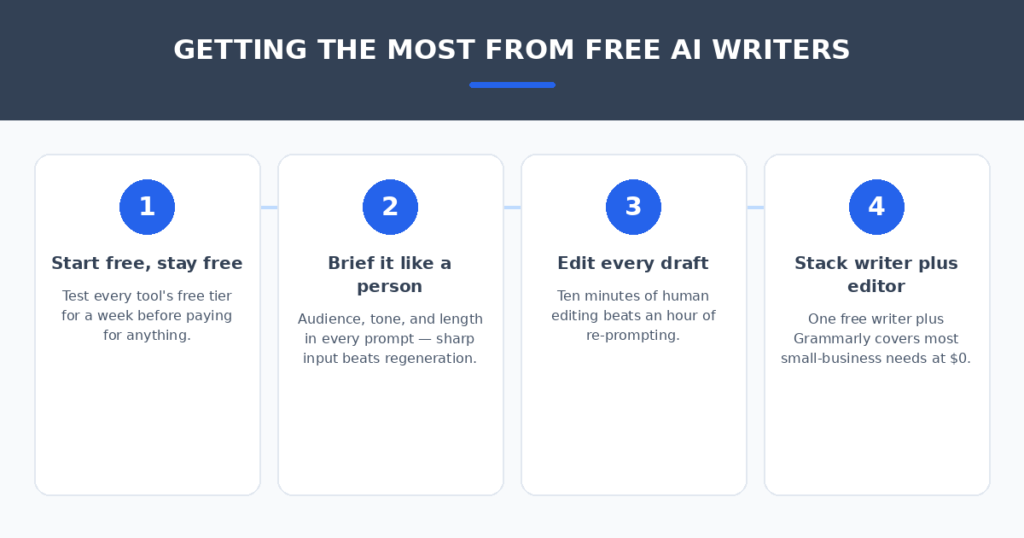
Free tiers are deliberately limited — the vendors want you to upgrade. These four habits kept me inside the free limits while still getting real work done:
- Start free and stay free as long as it works. Test each tool’s free tier for a full week of real tasks before paying for anything. Two of my seven picks never needed an upgrade for basic business writing.
- Brief it like a person. “Write a friendly email to a customer whose order is 3 days late, offer 15% off” beats “write an apology email.” Sharp input is free; regenerating wastes your quota.
- Edit every draft. AI first drafts have tells — generic openers, overpromising, slightly-off tone. Ten minutes of your editing beats an hour of re-prompting, and it keeps the writing sounding like you.
- Stack a writer with an editor. One free writer (ChatGPT or Claude) plus Grammarly Free covers most small-business writing at $0/month. Add Writesonic when you need blog volume.
When your business is ready to spend a little, the paid landscape changes the math — my Copy.ai vs Writesonic comparison breaks down which paid writer suits marketing teams. And if customer questions eat your afternoons, AI chatbots for small business websites can answer them while you work.
FAQ
Are free AI writing tools actually good enough for a business?
For everyday writing — emails, captions, product descriptions — yes, with editing. The free tiers of ChatGPT, Claude, and Writesonic produce drafts that need 10 minutes of polish, not a rewrite. For high-stakes copy (sales pages, legal-adjacent content), budget for human review or a paid tool.
What’s the catch with free tiers?
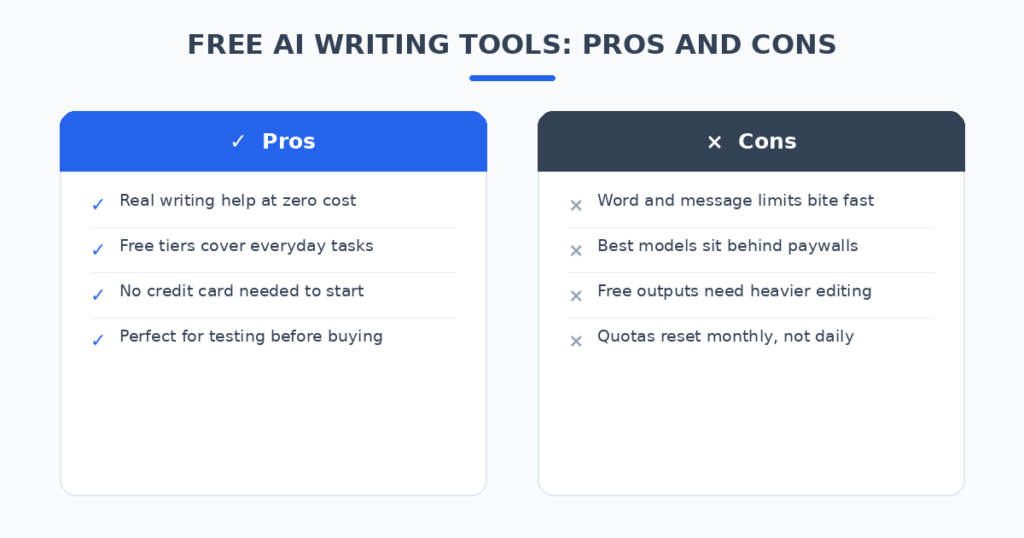
Quotas and throttling. Free plans limit messages, words, or characters per day or month, and the best models are reserved for paying users. The vendors are betting you’ll hit a limit at an inconvenient moment and upgrade. Knowing your actual volume keeps you in control.
Can I use free AI writing tools commercially?
Generally yes — the major tools grant commercial use rights on free tiers. But check each tool’s current terms before publishing, especially for client work, and never paste confidential customer data into a free chatbot.
Which free tool is best for blog posts?
Writesonic — 10,000 free words a month is two to three full articles, and its structured article writer plus SEO guidance beats drafting blog posts in a chat window. Pair it with Grammarly Free for polishing.
When should a small business pay for an AI writer?
When you consistently hit free limits or need features free tiers lack — brand voice consistency, team seats, or bulk generation. Until then, the free stack (one writer + Grammarly) covers most needs at $0.
My verdict
If you only adopt two: Claude’s free plan for writing that sounds human, and Grammarly Free for polishing everything. That pair handles most small-business writing at $0. Add Writesonic when you need blog volume — its 10,000 free words a month are unmatched. Use ChatGPT as the versatile backup, Gemini if you live in Google apps, and Rytr if you prefer templates to chat.
Skip paying until free stops working. The vendors design free tiers to convert you — but a disciplined business owner with sharp prompts and a good editor can run their entire writing workflow without spending a cent. Test all seven this week; your actual tasks will tell you which ones earn a bookmark.
Related reading
Sources: Grammarly