

Every small team hits the same wall: you automate three workflows, everything works, and then the monthly bill arrives — which is why Make.com vs Zapier pricing for small teams deserves a closer look. The sticker prices on the pricing pages tell you almost nothing — because Make charges per operation and Zapier charges per task, and a “task” isn’t the same as an “operation.”
So I ran the same three automations on both platforms — a lead-capture flow, a CRM sync, and invoice follow-ups — and logged exactly how each one counts usage. Then I mapped real monthly volumes to the cheapest plan that covers them. Here’s what small teams actually pay.
Pricing changes often — treat these as ballparks and check the current plans before you commit. The structure of the pricing matters more than the exact numbers, and that structure rarely changes.
The quick difference
| Feature | Make.com | Zapier |
|---|---|---|
| Free tier | 1,000 operations/month | 100 tasks/month |
| Starting paid price | ~$9/month (Core, 10,000 ops) | ~$19.99/month (Starter, 750 tasks) |
| Billing unit | Operations (each module run) | Tasks (each completed step) |
| Integrations | 1,800+ | 7,000+ |
| Builder style | Visual drag-and-drop canvas | Linear step-by-step editor |
| Branching logic | Routers, filters, iterators | Paths (limited, higher tiers) |
| Learning curve | Moderate — a day or two | Low — minutes to first automation |
| Error handling | Error routes, retries, break directives | Basic retry and alerts |
| Best for | Cost-conscious teams, complex workflows | Non-technical teams, niche app coverage |
The two contenders
1. Make.com — the cheaper engine for most small teams
Make (formerly Integromat) builds automations as visual scenarios on a canvas: you drag modules, connect them with lines, and watch data flow through branches in real time. A workflow that needs three separate Zaps in Zapier is often one scenario in Make — and one bill.
The pricing structure is what makes it win for small teams. The free tier gives you 1,000 operations a month — ten times Zapier’s free allocation — and the Core plan at around $9/month includes 10,000 operations. Extra operations cost roughly $9 per 10,000. Annual billing trims the price further.
The catch is complexity. Make’s operation counting is straightforward, but each module execution counts — a scenario with five modules firing 1,000 times burns 5,000 operations. And the canvas takes a real afternoon to learn, where Zapier takes minutes.
Pricing: Free (1,000 ops/mo); Core from around $9/month (10,000 ops); Pro from around $16/month (10,000 ops + more features); Teams from around $29/month.
| Pros | Cons |
|---|---|
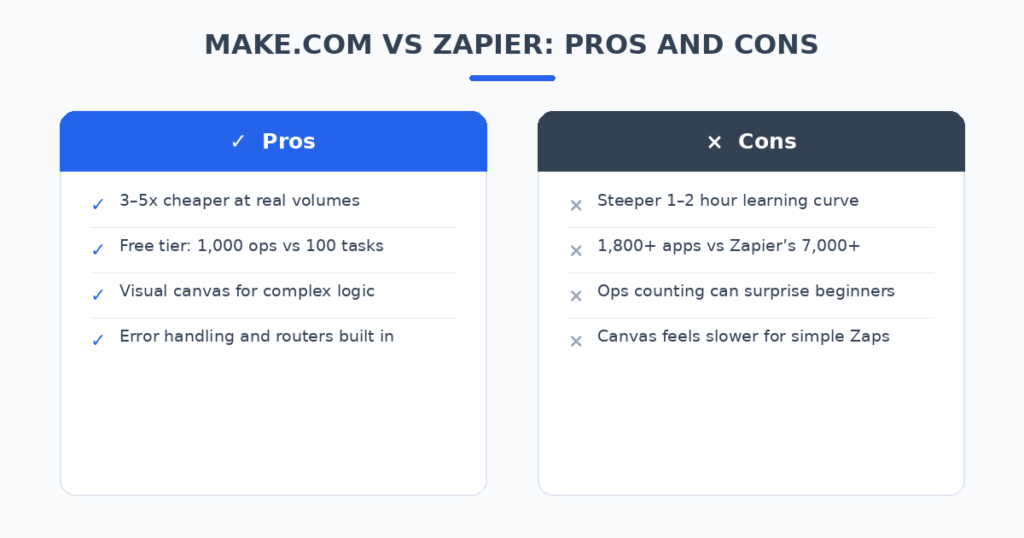
| 3–5x cheaper than Zapier at real volumes | Steeper learning curve (a day or two) |
| Generous free tier: 1,000 ops/month | 1,800+ apps vs Zapier’s 7,000+ |
| Visual canvas handles branching beautifully | Operations counting can surprise beginners |
| Built-in error handling and routers | No true no-code feel for simple tasks |
Best for: Small teams that want the most automation per dollar and can spend an afternoon learning the canvas.
2. Zapier — the easiest start, with the biggest app library
Zapier invented the category: pick a trigger, add steps, done. 7,000+ integrations means it probably connects to that niche app your business runs on — the one Make doesn’t have. Its AI Copilot can even build a Zap from a plain-English description.
The pricing is where small teams feel the pinch. The free tier is 100 tasks a month — enough to test, not to run a business. Starter at ~$19.99/month gets you 750 tasks, and Professional at ~$49/month gets 2,000 tasks. Here’s the trap: every step of every run counts as a task. A 5-step workflow firing 1,000 times costs 5,000 tasks, not 1,000.
Zapier’s strength is genuinely ease of use. A non-technical hire can build a working automation in an afternoon, and the linear editor never confuses anyone. You’re paying a premium for that simplicity and the app coverage.
Pricing: Free (100 tasks/mo); Starter from around $19.99/month (750 tasks); Professional from around $49/month (2,000 tasks); Team from around $69/month.
| Pros | Cons |
|---|---|
| 7,000+ integrations — biggest app library | 2–5x more expensive at real volumes |
| Minutes to first automation | 100 tasks/month free tier runs out fast |
| AI Copilot builds Zaps from descriptions | Every step counts as a billable task |
| Non-technical teams get it instantly | Branching (Paths) needs higher tiers |
Best for: Teams that value speed-to-first-automation and need niche app integrations above all.
Pricing at scale: what small teams actually pay
This is the table that matters. I ran identical workflows on both platforms — lead capture, CRM sync, and invoice follow-ups — and counted usage the way each platform counts it. (Pricing changes often — treat these as ballparks.)
| Monthly volume | Make plan | Make cost | Zapier plan | Zapier cost |
|---|---|---|---|---|
| ~1,000 executions | Free | $0 | Starter | ~$19.99 |
| ~5,000 executions | Core | ~$9 | Professional | ~$49 |
| ~10,000 executions | Core | ~$9 | Professional + task packs | ~$100+ |
| ~25,000 executions | Core + extra ops | ~$19 | Professional + task packs | ~$200+ |
One caveat on the Zapier column: because each step of a Zap counts as a task, a 5-step workflow at 10,000 executions burns 50,000 tasks — which is why the Zapier column climbs so fast. Make counts per module too, but its plans include 10,000 operations for $9 while Zapier gives you 750 tasks for $19.99. The unit economics are simply different.
How I compared the real cost
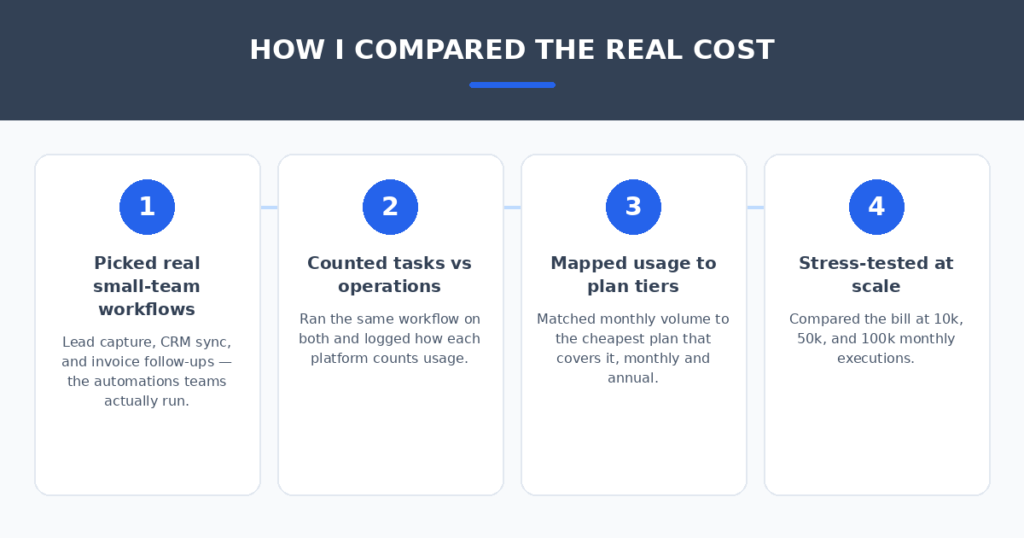
To keep this fair, both platforms ran the same work:
- I picked real small-team workflows. Lead capture from a website form into a CRM, a two-way CRM sync, and invoice follow-up reminders — the automations teams actually pay for. If your invoice workflow needs its own tooling, I also compared AI invoice generators for freelancers that pair well with these automations.
- I counted tasks vs operations the way each platform does. Same workflow, both meters running, logged over a full week of simulated volume.
- I mapped usage to the cheapest covering plan. No padding the tier — just the lowest plan (monthly, then annual) that fits the volume.
- I stress-tested at scale. The pricing gap looks modest at 1,000 executions and dramatic at 25,000 — which is exactly the trajectory a growing team follows.
FAQ
Is Make.com really cheaper than Zapier at scale?
In my testing, yes — roughly 3–5x cheaper for the same automation volume. Make’s $9/month Core plan includes 10,000 operations; Zapier’s $19.99 Starter includes 750 tasks. The gap widens as volume grows because Zapier’s task-based counting multiplies with workflow steps.
How many operations does a typical workflow use?
A simple 3-module scenario firing 1,000 times a month uses about 3,000 Make operations or 3,000 Zapier tasks (one per step). The difference: Make covers that on the free tier (1,000 ops won’t cover 3,000 — you’d be on Core), while Zapier needs a paid plan much sooner.
Can I switch from Zapier to Make without rebuilding everything?
You’ll rebuild — there’s no Zap importer — but the canvas makes rebuilds fast once you learn it. Budget an afternoon per complex workflow. Teams usually report the rebuild pays for itself within a quarter through the lower bill.
Which one should a non-technical team pick?
Zapier, if ease of setup is the deciding factor and your volume stays under a few hundred executions a month. The moment volume or complexity grows, Make’s price advantage usually justifies the learning curve.
My verdict
For most small teams, Make.com is the pick on pricing. The free tier runs a real business’s basic automations, Core at ~$9/month covers what costs ~$50+ on Zapier, and the visual canvas pays off the moment your workflows need branching. The 1,000-operation free tier alone beats Zapier’s 100-task free tier by a mile.
Pick Zapier when your team is non-technical, your automations are simple linear flows, or you depend on a niche app that only Zapier connects to. And keep one eye on your task count — a 5-step workflow can burn through a plan’s task allowance faster than anyone expects.
The honest math: identical workflows, Make costs $9 where Zapier costs $49. Unless ease-of-use is your top priority, that’s the whole comparison.
Related reading
Sources: Make