

It’s Friday, 6 p.m. The client work is done, the timesheet is filled in, and now comes the part every freelancer quietly dreads: building the invoice. Open the template, remember the client’s billing address, calculate the hours, double-check the rate, convert the currency, save as PDF, write the email, attach, send. Twenty minutes of pure admin — per client — the exact chore AI invoice generators for freelancers eliminate.
I freelanced full-time for four years, and invoicing was the task I procrastinated on most. Which is absurd, because it’s literally the step that gets you paid. Late invoices mean late payments, and late payments mean cash-flow stress.
AI invoice generators attack exactly this friction: describe the work in plain language — or import your tracked hours — and get a professional, ready-to-send invoice in under a minute. I tested five tools that do this well, with real freelance scenarios. Here’s the honest rundown.
What “AI Invoice Generator” Actually Means
The phrase covers two kinds of tools, and it’s worth knowing which you’re looking at:
- Dedicated AI invoice builders — you type something like “Invoice Acme Corp for 14 hours of web design at $85 an hour, plus a $200 stock photo license” and the tool produces a formatted invoice with line items, totals, tax, and your branding.
- Invoicing platforms with AI assistance — full bookkeeping tools (estimates, recurring invoices, payment tracking) where AI helps draft line items, write payment reminder emails, or categorize expenses.
For most freelancers, category two is the better long-term home, but category one is unbeatable for speed. I tested both.
How I Tested Them
I ran three realistic scenarios through each tool:
- Scenario A: A simple hourly invoice — 14 hours of design work, one client, one currency.
- Scenario B: A messy one — mixed hourly and fixed-fee line items, a reimbursable expense, and a different currency than my default.
- Scenario C: A recurring monthly retainer I wanted to automate.
I scored each tool on draft accuracy (did the numbers come out right?), time from signup to first sent invoice, how professional the result looked, and what happens after sending — payment tracking, reminders, and reports.
The 5 Tools I Tested
1. Refrens
Refrens is built specifically for freelancers, and it feels like it. The AI invoice flow is the fastest I tested: I typed a plain-English description of scenario B — the messy one — and it correctly split the hourly work, the fixed fee, and the expense into separate line items, applied the right currency, and calculated tax. Total time: under two minutes, and the numbers were right on the first try.
Beyond invoices, it handles quotations, payment tracking, and even lead management, which makes it a decent lightweight business hub for a solo freelancer.
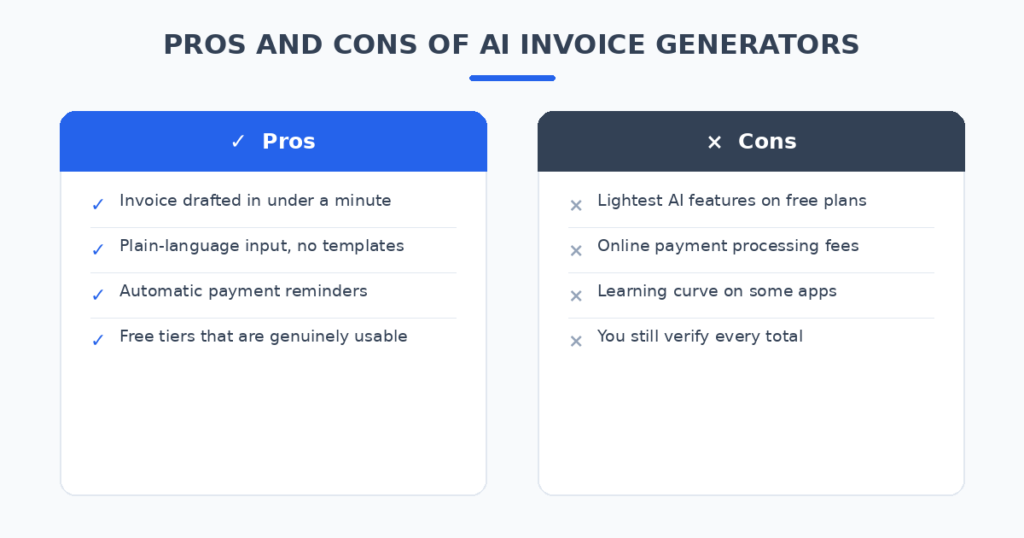
- Pros: Best plain-language invoice drafting I tested; genuinely free tier; clean, professional templates.
- Cons: Smaller ecosystem than the big accounting platforms; fewer third-party integrations.
2. FreshBooks
FreshBooks is the established name in freelancer accounting, and its AI features are layered onto a mature platform. The invoice drafting assistant is good rather than magical — it excels at turning tracked time directly into invoice line items with one click, which is the workflow most hourly freelancers actually live in.
Where FreshBooks pulls ahead is everything after the invoice: automatic payment reminders, late-fee handling, expense tracking, and reports your accountant will understand. If your freelance operation is growing past “a few invoices a month,” this is the grown-up choice.
- Pros: Best time-tracking-to-invoice flow; strong payment reminders and late-fee automation; accountant-friendly reports.
- Cons: No free tier (trial only); AI drafting less impressive than Refrens for complex one-offs.
3. Wave
Wave’s pitch is simple: real invoicing and accounting software that’s actually free. The AI assistance here is lighter — smart line-item suggestions based on your history, and help drafting payment reminder emails — but the price is unbeatable. In my tests the invoice builder handled all three scenarios correctly; it just required more manual entry than the AI-first tools.
The catch is how Wave makes money: payment processing fees when clients pay by card or bank transfer. If most of your clients pay by bank transfer anyway, Wave can genuinely cost you nothing.
- Pros: Free invoicing and accounting; unlimited invoices; clean templates.
- Cons: Lightest AI features of the five; payment processing fees apply if clients pay online.
4. Zoho Invoice
Zoho Invoice is completely free and surprisingly capable. Its AI assistant (Zia) helps with drafting, flags unusual invoice amounts, and can draft follow-up emails for overdue payments. It handled scenario B correctly and set up the recurring retainer in scenario C without fuss.
If you already use other Zoho tools, the integration is seamless. Even if you don’t, it’s the most fully-featured free option here — the only real cost is learning Zoho’s interface, which takes an afternoon.
- Pros: Completely free with no invoice limits; good AI-assisted reminders; multi-currency handled well.
- Cons: Interface less intuitive than Refrens or FreshBooks; best value if you’re in the Zoho ecosystem.
5. Invoice Ninja
Invoice Ninja is the open-source-rooted option, and it’s the most customizable of the five — 40+ payment gateways, self-hosting options, detailed invoice templates you can edit down to the HTML. The AI features are newer and more modest: assisted line-item entry and smart defaults based on client history.
I recommend it for technically comfortable freelancers who want control (and data ownership) more than hand-holding. The free tier is generous; the paid plan is cheap.
- Pros: Most customizable; self-hosting option; tons of payment gateways; cheap paid tier.
- Cons: AI features are the least developed here; interface shows its open-source roots.
From Sentence to Paid: A Real Workflow
Here’s the workflow I now recommend to freelancers, using any of the tools above:
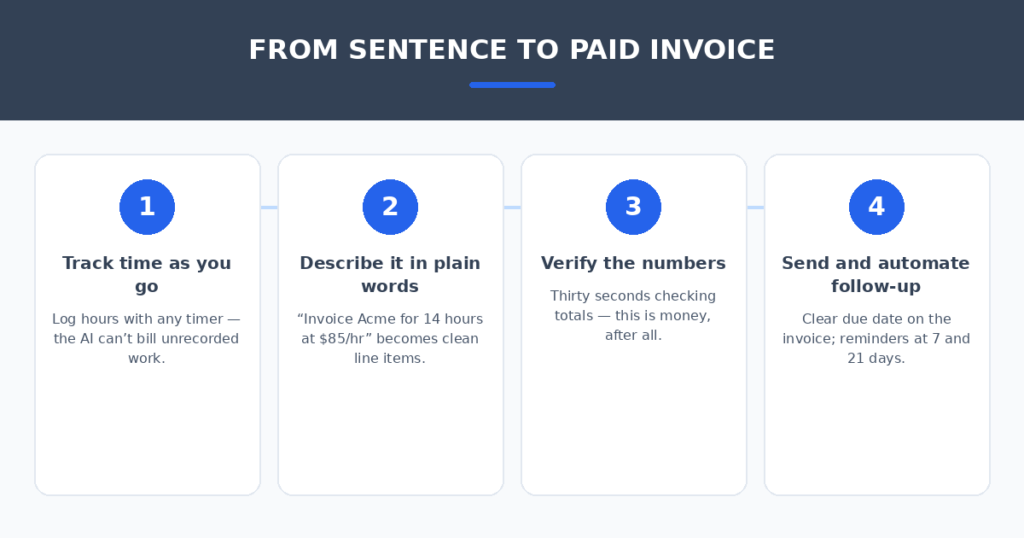
- Track time as you go. Even a simple timer app works. The AI can’t invoice hours you never recorded.
- Draft with plain language. “Invoice Brightside Studio for 12.5 hours of frontend work at $90/hr, plus the $149 Figma license I bought for their project.” Let the tool build the line items.
- Glance at the numbers. AI gets it right most of the time, but this is money — 30 seconds of verification is non-negotiable.
- Send with a clear due date on the invoice itself. “Due within 14 days” beats “due upon receipt” for actually getting paid on time.
- Automate the follow-up. Set one polite reminder at 7 days overdue and a firmer one at 21. Every tool here can do this; FreshBooks and Zoho do it best.
Total active time per invoice once this is set up: about three minutes.
Getting Paid Faster: 5 Practical Tips
The tool helps, but habits matter more. What consistently shortened payment times in my freelance years:
- Invoice immediately. Same day the work is delivered, not Friday. Every day of delay on your side adds days on theirs.
- Put the due date on the invoice, not just in the email. Make it impossible to miss.
- Offer more than one way to pay. Bank transfer plus card, at minimum. Every extra hoop costs you days.
- Send the first reminder before it’s awkward. A friendly “just floating this to the top of your inbox” at 7 days overdue works better than a stern letter at 60.
- Charge late fees and say so upfront. You may never enforce them, but their presence on the invoice changes behavior.
AI Invoice Generators for Freelancers: Pros and Cons at a Glance
| Tool | Best for | Price | Standout strength | Watch out for |
|---|---|---|---|---|
| Refrens | Fastest AI drafting | Free tier; paid plans cheap | Plain-English invoice creation | Fewer integrations |
| FreshBooks | Growing freelance business | Trial, then ~$20/mo | Time-to-invoice + reminders | No free tier |
| Wave | Free everything | Free; processing fees apply | Real accounting at $0 | Lightest AI features |
| Zoho Invoice | Free + multi-currency | Free | AI payment-risk flags | Learning curve |
| Invoice Ninja | Control and customization | Free tier; ~$10/mo paid | 40+ gateways, self-host | Basic AI features |
FAQ
Are AI-generated invoices legally valid?
An invoice’s validity comes from containing the right information (your details, client details, amounts, tax, dates) — not from how it was drafted. All five tools produce properly structured invoices. That said, tax and invoicing rules vary by country; if you’re unsure what your invoices must include, check your local requirements once and set up a template accordingly.
Can these handle multiple currencies?
Yes — all five. Refrens, Zoho Invoice, and Invoice Ninja handled my multi-currency test most smoothly. If you bill international clients regularly, confirm the tool pulls reasonable exchange rates or lets you set your own.
What about recurring retainer invoices?
All five support recurring invoices. Set it once and the invoice generates and sends on schedule. This is the single highest-ROI automation for retainer freelancers — I reclaimed about an hour a month with it.
Do clients care that AI helped draft the invoice?
They can’t tell, and it doesn’t matter. What clients notice is accuracy, clarity, and promptness. An AI-drafted invoice sent the same day beats a hand-crafted one sent three weeks late.
Should I still use a spreadsheet to track everything?
No — that’s exactly the habit these tools replace. Keep your time tracking and invoicing in one system so nothing falls through the cracks. Export reports quarterly for your accountant and you’re covered.
My Verdict
If you want the fastest path from “work done” to “invoice sent,” Refrens won my tests — the plain-language drafting genuinely works, and the free tier is enough for most solo freelancers.
If your freelance business is growing and you want invoicing plus real accounting, FreshBooks justifies its price through payment reminders and reporting. If free is the priority, Zoho Invoice beats Wave on features while Wave wins on simplicity — pick based on which interface you prefer.
The deeper lesson from four years of freelancing: the best invoicing system is the one you’ll actually use the same day. Pick one tool, set up your template and one recurring reminder, and never think about it again. Getting paid should be the easiest part of freelancing, not the most procrastinated.
And invoicing is the end of the client workflow — the beginning matters too. If you’re still writing proposals by hand, I tested AI proposal generators for freelancers that turn a discovery call into a polished proposal. When the work grows enough to bring on help, AI resume screening tools for small businesses can handle the hiring side without an HR department.
Related reading
- automate invoice payment reminders
- AI expense categorization tools
- AI proposal generators for freelancers
Sources: Zoho Invoice