

Every small business knows it should post more, which is why AI social media post generators for small businesses have become so popular. Almost none do — because three posts a week across two platforms means a hundred tiny creative decisions a month, each one squeezed between customers, inventory, and payroll. The content calendar dies quietly in week two.
AI post generators promise to resurrect it: describe your business once, get a month of captions, hashtags, and posting times. I spent three weeks testing that promise. I gave seven tools the same fictional small business — a neighborhood coffee shop — and judged the output on whether a real customer would like, comment, or (God forbid) actually visit.
Here’s the honest version: the AI writes structurally perfect, emotionally empty posts. “Rise and grind! ☕ Start your Monday with our artisan espresso.” Nobody ever read that and felt anything. The tools that win are the ones that make it easiest for you to inject the specifics the AI can’t know.
How I tested these AI social media post generators for small businesses
To keep it fair, every tool got the identical brief: a neighborhood coffee shop launching a new seasonal drink, with a photo of the drink. I scored each on five things:
- Post quality: Would this stop a scroll, or blend into the feed?
- Platform awareness: Does Instagram get punchy and LinkedIn get professional?
- Voice control: Can it sound like a local shop, not a marketing agency?
- Scheduling: Can I plan the month in one sitting?
- Honest pricing: What does a small business actually pay?
The 7 tools I tested
1. Buffer — the best budget pick for small business
Buffer is the small-business social tool: free for 3 channels, dead simple, and the AI Assistant drafts captions, rewrites your rough ideas, and adapts one post across platforms. It’s built for owners who do their own marketing between everything else.
In my test the drafts were clean and usable — not poetry, but solid starting points that needed one personal detail each (the drink’s name, the barista who invented it). At $5–6 per channel per month, it’s the cheapest way to get AI drafting plus real scheduling.
Pricing: Free (3 channels, 10 scheduled posts per channel); Essentials from around $5–6/month per channel.
| Pros | Cons |
|---|---|
| Cheapest AI + scheduling combo | Drafts need your personal details |
| Simple enough for non-marketers | Analytics are basic |
| Genuinely usable free tier | Per-channel pricing adds up past 4–5 channels |
Best for: Small businesses managing their own 2–3 accounts.
2. Later — the best for visual, Instagram-first brands
Later is built for businesses that post photos: cafés, boutiques, salons, restaurants. The visual content calendar shows your Instagram grid as you plan, and the AI caption writer plus hashtag suggestions fill in the words around your images.
My test posts looked the most native to Instagram — short, emoji-light, hashtag-sensible. The weakness: it’s Instagram-first, so if your audience lives on LinkedIn or X, you’ll fight the tool’s instincts. For a visual local business, though, it’s the most natural fit.
Pricing: Free trial; Starter from around $18–25/month.
| Pros | Cons |
|---|---|
| Visual calendar shows your grid | Instagram-first; weaker elsewhere |
| Captions feel native to the platform | No permanent free tier |
| Hashtag suggestions included | Pricier than Buffer for one shop |
Best for: Visual businesses where the photo does half the selling.
3. Canva — the best for design + words in one place
Most small businesses already design in Canva. What they miss is that Magic Write and the Magic Studio suite also write the captions — and the content planner schedules the finished designs. One tab: design the graphic, generate the caption, schedule the post.
In my test this was the fastest end-to-end workflow: drink photo in, designed post with caption out, scheduled for Tuesday 9am. The captions alone aren’t the smartest here, but nobody else combines design and copy this tightly.
Pricing: Free tier; Pro around $11–15/month.
| Pros | Cons |
|---|---|
| Design + caption + schedule in one tab | Captions good, not great |
| Fastest full workflow tested | Scheduling is simpler than Buffer/Later |
| Most owners already know Canva | Brand voice control is basic |
Best for: Businesses that make their own graphics and want words to match.
4. Metricool — the best analytics with AI drafting
Metricool pairs an AI social assistant with the best analytics in this price range — including competitor analysis that shows what rival businesses are posting. For a small business, knowing which of your posts actually drove foot traffic matters more than another caption draft.
The AI drafts were competent and the cross-platform reports genuinely useful: I could see which caption style won on Instagram vs. Facebook. The free tier covers the basics; the paid tier adds the competitor intel.
Pricing: Free tier; Starter from around $16–18/month.
| Pros | Cons |
|---|---|
| Analytics tell you what worked | AI drafting is solid, not standout |
| Competitor analysis included | Interface busier than Buffer |
| Good free tier | Euro pricing shifts with exchange rates |
Best for: Owners who want to know which posts earn their keep.
5. SocialBee — the best for never running dry
SocialBee’s superpower is content recycling: evergreen posts go into categories and resurface on rotation, so your best-performing posts keep working while the AI drafts fresh ones. For a small business with limited new things to say, that’s a lifeline.
The AI generation plus recycling meant my test account had a full month scheduled in one afternoon, with evergreen posts filling the gaps between announcements. It’s the only tool here that answers “but what do I post when nothing’s happening?”
Pricing: From around $29/month; 14-day trial.
| Pros | Cons |
|---|---|
| Recycling ends the “nothing to post” problem | No free tier |
| AI drafts plus evergreen rotation | Setup takes an afternoon |
| Great for low-news businesses | Pricier than Buffer for basics |
Best for: Businesses with steady offerings and few announcements.
6. Hootsuite — the enterprise option (probably too much)
Hootsuite’s OwlyWriter AI is genuinely capable — it writes full posts from a URL, repurposes top performers, and suggests captions from trending topics. But at $99 per user per month, it’s priced for marketing teams, not coffee shops.
I’m including it as the cautionary tale: more tool than a small business needs. Unless you’re running 5+ accounts with a team and approval workflows, every dollar above Buffer’s price is paying for features you’ll never open.
Pricing: $99/user/month; 30-day trial, no free plan.
| Pros | Cons |
|---|---|
| Most capable AI writing here | Wildly overpriced for one small business |
| Deep analytics and listening | Complexity you’ll never use |
| Team workflows and approvals | No free tier |
Best for: Agencies and mid-size teams — not most small businesses.
7. ChatGPT or Claude — the free DIY route
The free route: “Write 5 Instagram captions for a neighborhood coffee shop launching a cardamom latte. Warm, local tone, under 150 characters each, no clichés like ‘rise and grind.'” The “no clichés” clause matters — without it, the AI defaults to exactly the lines everyone skips.
What you don’t get: scheduling, analytics, or platform adaptation. This is the drafting engine only — you still copy captions into a scheduler. I use it for one-off posts and campaign ideas, then schedule through Buffer’s free tier.
Pricing: Free; Plus tiers around $20/month.
| Pros | Cons |
|---|---|
| Free and unlimited ideas | No scheduling or analytics |
| Full control via prompting | Defaults to clichés without guardrails |
| Great for campaign brainstorming | Manual copy-paste into your scheduler |
Best for: Owners who draft free and schedule cheap.
Quick comparison
(Pricing changes often — treat these as ballparks and check current plans before deciding.)
| Tool | Starting price | AI strength | Scheduling | Analytics | Best for |
|---|---|---|---|---|---|
| Buffer | Free / ~$5/mo | Caption drafts + rewrite | Yes | Basic | Budget pick |
| Later | ~$18/mo | Captions + hashtags | Yes, visual | Good | Visual brands |
| Canva | Free / ~$11/mo | Magic Write captions | Yes | Basic | Design + copy |
| Metricool | Free / ~$16/mo | Social assistant | Yes | Best in class | Data-driven |
| SocialBee | ~$29/mo | Drafts + recycling | Yes | Good | Never run dry |
| Hootsuite | $99/user/mo | OwlyWriter, very capable | Yes | Deep | Teams (overkill) |
| ChatGPT/Claude | Free / $20/mo | Open-ended drafting | No | No | Free ideas |
How to get a month of posts that actually perform
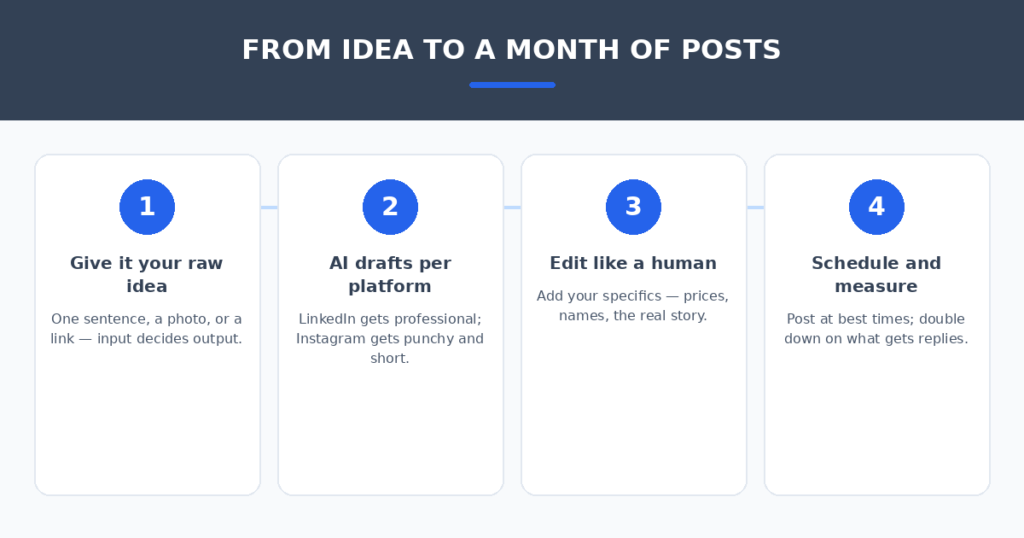
The tool matters less than the input. Four habits made the biggest difference in my tests:
- Feed it specifics, not vibes. “Cardamom latte, invented by our barista Amara, $5.50 this weekend only” beats “write something about our new drink.” Details are the difference between a post and filler.
- Ban the clichés in your prompt. “No ‘rise and grind,’ no ‘tag a friend who needs this,’ no excessive emojis.” The AI’s defaults are everyone’s defaults — forbid them explicitly.
- Post your real photos. AI captions over stock photos get scrolled past; AI captions over your actual shop, staff, and customers get saved. The image does half the work — the tool can’t do it for you.
- Batch monthly, engage daily. Schedule the month’s posts in one afternoon, then spend ten minutes a day replying to comments. Scheduled posts get you seen; replies get you remembered.
If social drives traffic to your site, make the visit count — AI chatbots for small business websites answer visitor questions and capture leads around the clock. And if you’re a restaurant posting food photos, I also tested AI review response generators for restaurants — great posts bring reviews, and reviews deserve replies.
FAQ
Will AI-generated posts sound robotic?
Only if you post them unedited. The AI’s first draft is a starting point — add one specific detail (a name, a price, a real moment) and it reads human. The tools that make editing easy (Buffer, Canva) beat the ones with marginally smarter drafts.
How many posts per week does a small business actually need?
Three quality posts beat seven filler posts. Consistency matters more than volume: pick a cadence you can sustain (usually 3–4/week on your main platform), and let the AI handle the drafting so you can handle the business.
Can AI handle hashtags and posting times?
Yes — most tools here suggest hashtags and best times to post automatically. Treat hashtag suggestions as a starting list (5–10 relevant beats 30 generic), and trust the best-time data only after a month of your own analytics.
Should I let AI reply to comments too?
No. Comments are conversations with real customers — a generic AI reply (“Thanks for your feedback! 🙏”) does more harm than silence. Draft posts with AI; reply to humans yourself, even if it’s just ten minutes a day.
Is the free tier enough for a small business?
For 2–3 accounts posting a few times a week: yes. Buffer’s free tier and Canva’s free tier together cover drafting, design, and scheduling. You’ll outgrow free when you add accounts, need approval workflows, or want competitor analytics — budget $15–30/month then.
My verdict
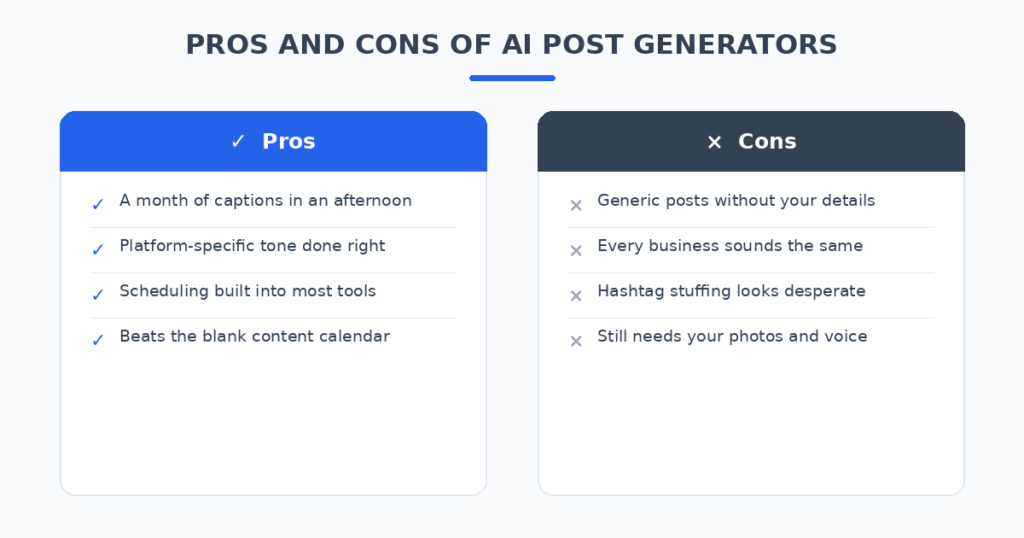
For most small businesses, Buffer is the pick — AI drafting plus real scheduling at the lowest price, with a free tier that actually works. If your business is visual, Later fits better. If you design everything in Canva already, stay there and use Magic Write. Skip Hootsuite unless you’re running a team.
The dead content calendar is a solved problem. Feed the AI your specifics, ban the clichés, batch the month in an afternoon — and spend the hours you save running the business, not
the feed.
Related reading
- AI email subject line generators
- AI tools to automate social media scheduling
- AI podcast clip makers
Sources: Buffer